Install Mojo Gogo to Home Screen
📌 Before You Start
Before you start, please make sure your phone meets the following requirements.
💡 Supported Device and Browser
- On Android, Firefox, Chrome, Edge, Opera, and Samsung Internet Browser all support installing PWAs.
- On iOS 16.3 and earlier, PWAs can only be installed with Safari.
- On iOS 16.4 and later, PWAs can be installed from the Share menu in Safari, Chrome, Edge, Firefox, > and Orion.
📱 Installation Steps
1️⃣ Open Mojo Gogo with Your Mobile Browser
Open https://mojogogo.ai/ with your mobile browser
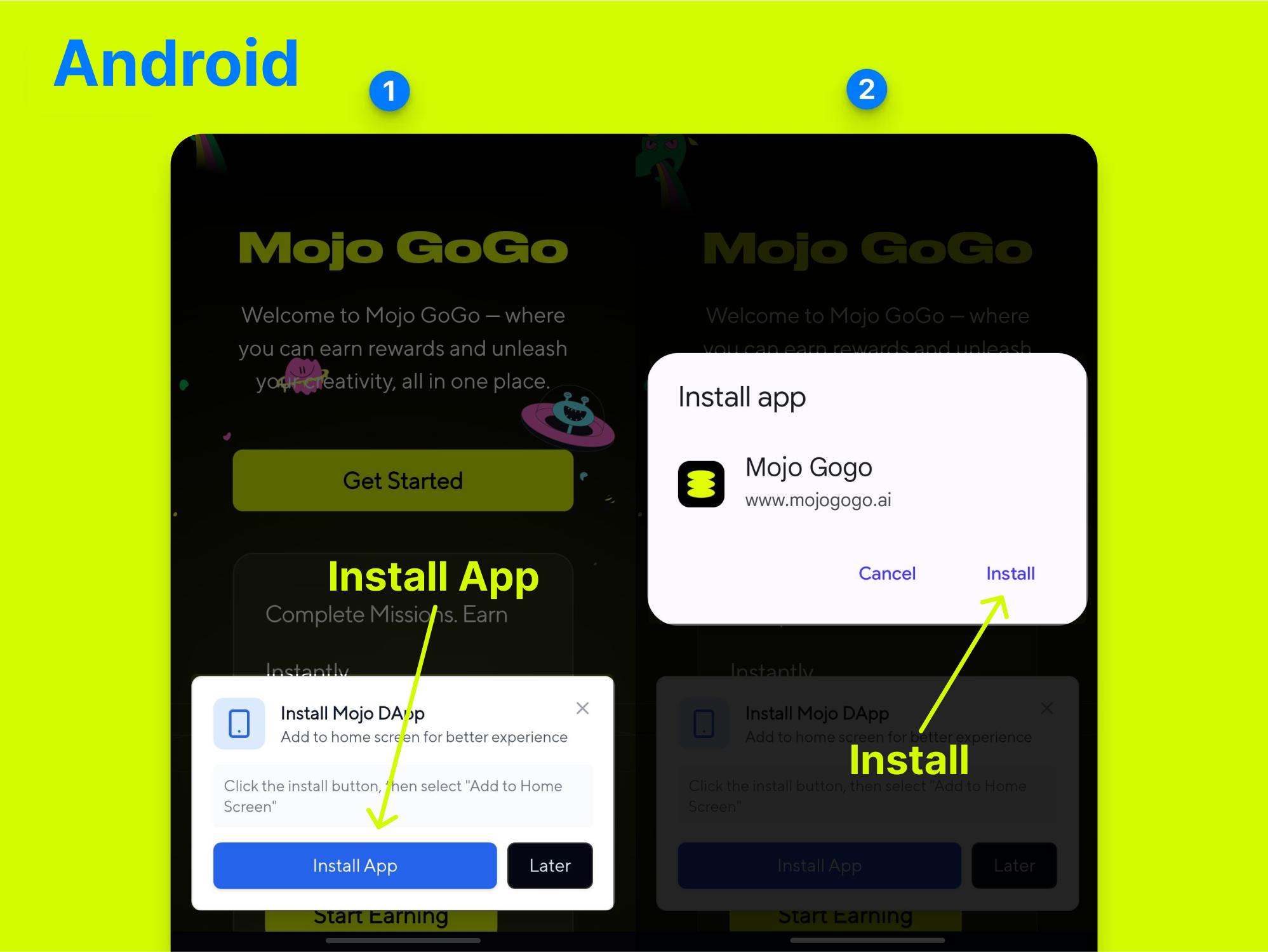
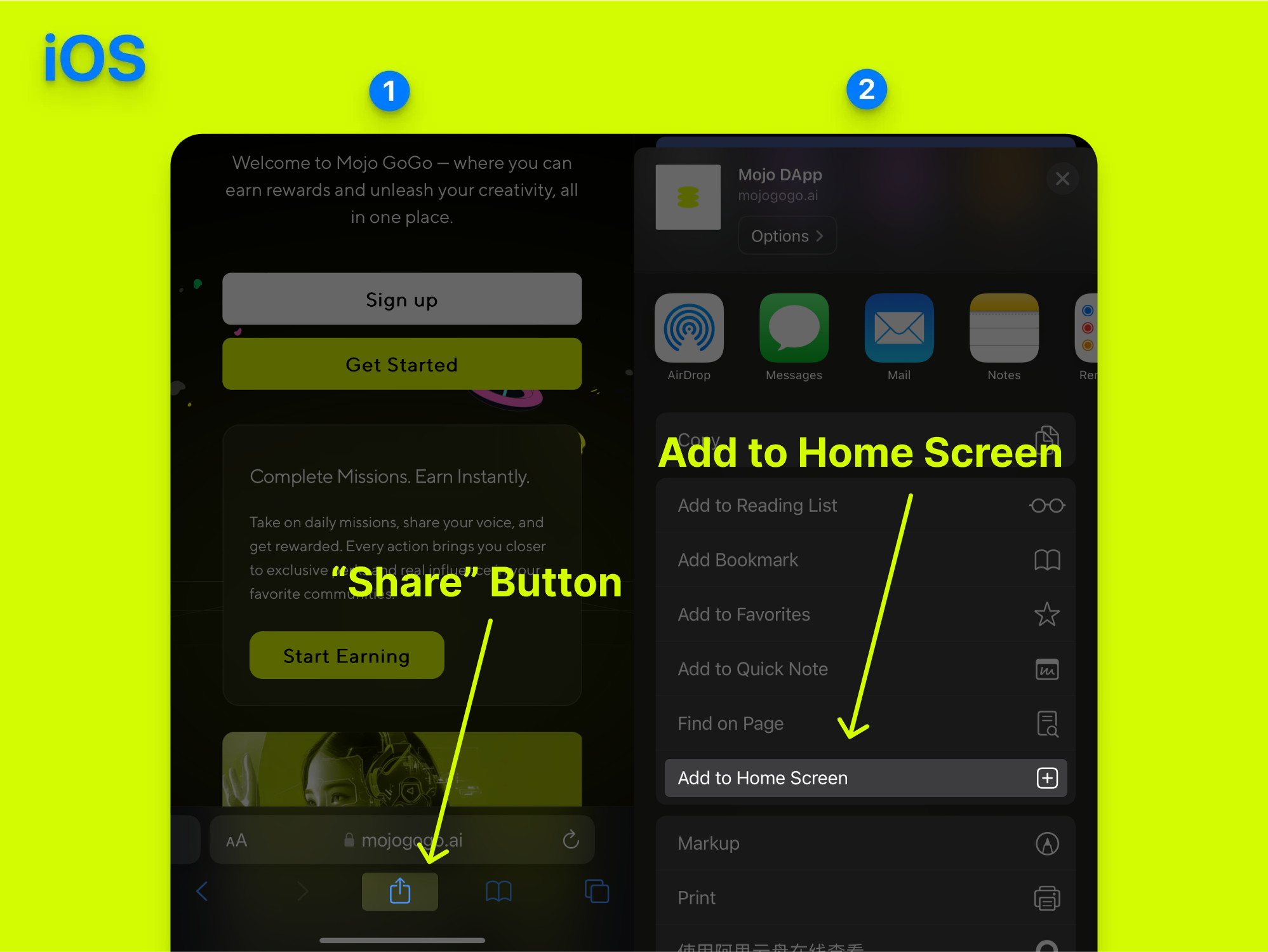
2️⃣ Add Mojo Gogo to Home Screen
For Android Users:
For iOS Users:
3️⃣ Open Mojo Gogo App from Your Mobile Home Screen
Once installed, you can open the Mojo Gogo app directly from your mobile home screen, just like a native app!
🎯 Benefits of PWA Installation
- Faster Access: Launch Mojo Gogo directly from your home screen
- Better Performance: Optimized for mobile devices
- Offline Capability: Some features work even without internet
- Native App Feel: Looks and feels like a regular mobile app
- No App Store Required: Install directly from your browser
🔧 Troubleshooting
If you encounter any issues during installation:
- Make sure your browser is up to date
- Check if your device meets the minimum requirements
- Try clearing your browser cache and cookies
- Ensure you have a stable internet connection